Plant-plant interaction network visualization as a graph. On one hand, it is
the visualization of the nodes and interactions, which can be visualized in two
formats, either as a graph conducted with this function or as an adjacency matrix,
with the function RN_heatmap. And on the other hand, three functions, one for
each interaction type network, to visualize the functional topology of general
recruitment networks visu_funtopol_rec and the structural topology of the
recruitment enhancement visu_topol_fac and depression visu_topol_depre
networks respectively.
Arguments
- int_data
data frame containing interaction data.
- cover_data
data frame with the abundance of each canopy species in each plot.
- int_type
Indicates the type of plant-plant interaction that will be analyzed: general recruitment, recruitment enhancement (i.e. facilitation) or recruitment depression (i.e. competition). See detailed options in
int_significance().- weight
specifies the metric used to represent interaction strength (i.e., the weight) assigned to each pair of species in the matrix. Explanation of its options (more mathematical information in the description of the function associndex):
Fcr: frequency of recruitment in number of recruits by canopy-recruit pair.
Pcr: presence/absence (1/0) of the interaction (unweighted network).
Dcr: density of recruitment as number of recruits per unit area of canopy species.
Dro: density of recruitment in open interspaces as number of recruits per unit area of open interspaces.
Ns: The index Normalized Neighbour Suitability index (proposed by Mingo, 2014), suitable for comparisons of interaction strength between pairs of species within a local community, which should be preferred in general recruitment networks (Alcantara et al. 2025).
NIntA: The index additive symmetry intensity index proposed by Diaz-Sierra et al. (2017).
NIntC: The index commutative symmetry intensity index proposed by Diaz-Sierra et al. (2017). -RII: The index Relative Interaction Index (Armas et al., 2004).
- mode
to be used only for recruitment enhancement("fac") and recruitment depression ("comp") networks. Indicates whether the network should be plotted as a unipartite or a bipartite network. In bipartite networks, canopy species are shown in the upper row and recruits in the lower row of the graph. For general recruitment networks, the network should be considered as unipartite, and it will result in an error if this argument is given the option "bi".
- scale_w
is an argument to proportionally increase or decrease the thickness of the links. In some networks, high values can result in the overlapping of links that difficult the visualization.
Examples
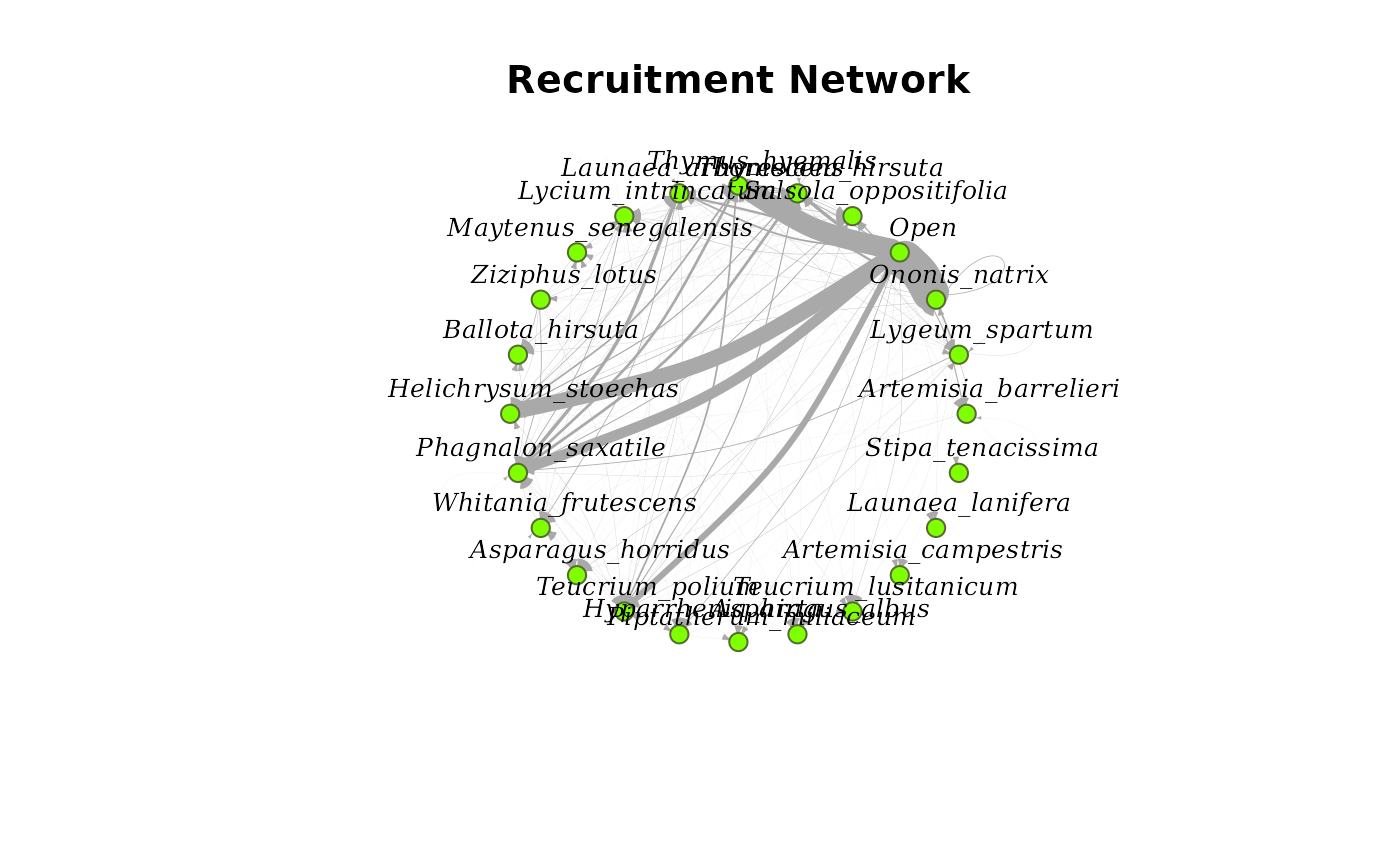
# Unipartite network representation of a general recruitment network. Link width
# corresponds to the scaled frequency of recruitment (*Fcr*):
visu_net(Amoladeras_int, Amoladeras_cover, int_type="rec", weight="Fcr", mode="uni", scale_w=0.01)
 #> IGRAPH a2c1491 DNW- 24 221 --
#> + attr: name (v/c), weight (e/n)
#> + edges from a2c1491 (vertex names):
#> [1] Artemisia_barrelieri ->Artemisia_barrelieri
#> [2] Lygeum_spartum ->Artemisia_barrelieri
#> [3] Ononis_natrix ->Artemisia_barrelieri
#> [4] Open ->Artemisia_barrelieri
#> [5] Salsola_oppositifolia->Artemisia_barrelieri
#> [6] Thymelaea_hirsuta ->Artemisia_barrelieri
#> [7] Thymus_hyemalis ->Artemisia_barrelieri
#> [8] Lygeum_spartum ->Artemisia_campestris
#> + ... omitted several edges
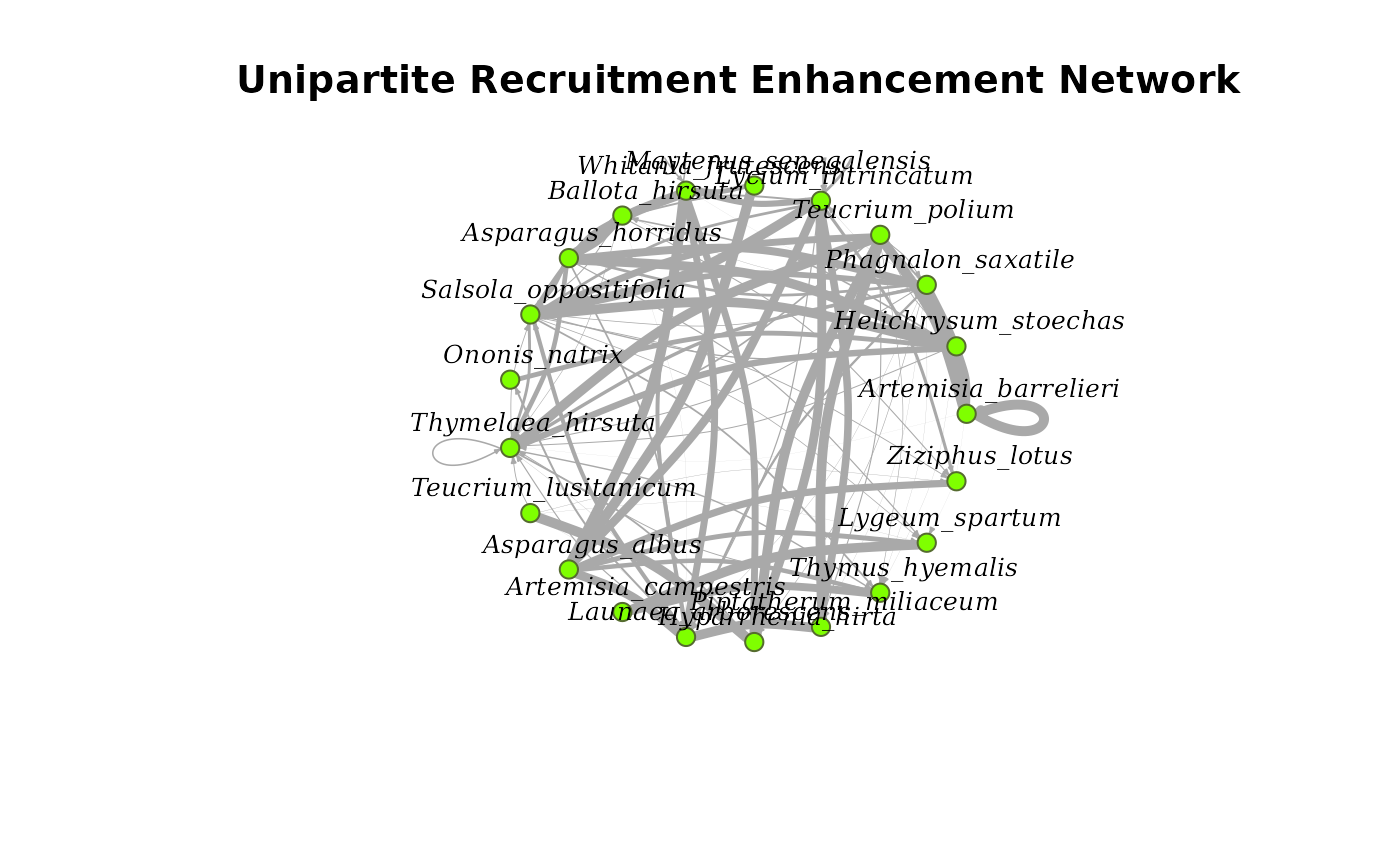
# Unipartite representation of a facilitation network. Link width corresponds to the
# scaled *Ns* index:
visu_net(Amoladeras_int, Amoladeras_cover, int_type="fac", weight="Ns", mode="uni", scale_w=5)
#> IGRAPH a2c1491 DNW- 24 221 --
#> + attr: name (v/c), weight (e/n)
#> + edges from a2c1491 (vertex names):
#> [1] Artemisia_barrelieri ->Artemisia_barrelieri
#> [2] Lygeum_spartum ->Artemisia_barrelieri
#> [3] Ononis_natrix ->Artemisia_barrelieri
#> [4] Open ->Artemisia_barrelieri
#> [5] Salsola_oppositifolia->Artemisia_barrelieri
#> [6] Thymelaea_hirsuta ->Artemisia_barrelieri
#> [7] Thymus_hyemalis ->Artemisia_barrelieri
#> [8] Lygeum_spartum ->Artemisia_campestris
#> + ... omitted several edges
# Unipartite representation of a facilitation network. Link width corresponds to the
# scaled *Ns* index:
visu_net(Amoladeras_int, Amoladeras_cover, int_type="fac", weight="Ns", mode="uni", scale_w=5)
 #> IGRAPH 564d36a DNW- 21 94 --
#> + attr: name (v/c), weight (e/n)
#> + edges from 564d36a (vertex names):
#> [1] Artemisia_barrelieri ->Artemisia_barrelieri
#> [2] Helichrysum_stoechas ->Artemisia_barrelieri
#> [3] Phagnalon_saxatile ->Artemisia_barrelieri
#> [4] Teucrium_polium ->Artemisia_barrelieri
#> [5] Lycium_intrincatum ->Asparagus_albus
#> [6] Maytenus_senegalensis->Asparagus_albus
#> [7] Whitania_frutescens ->Asparagus_albus
#> [8] Ballota_hirsuta ->Asparagus_horridus
#> + ... omitted several edges
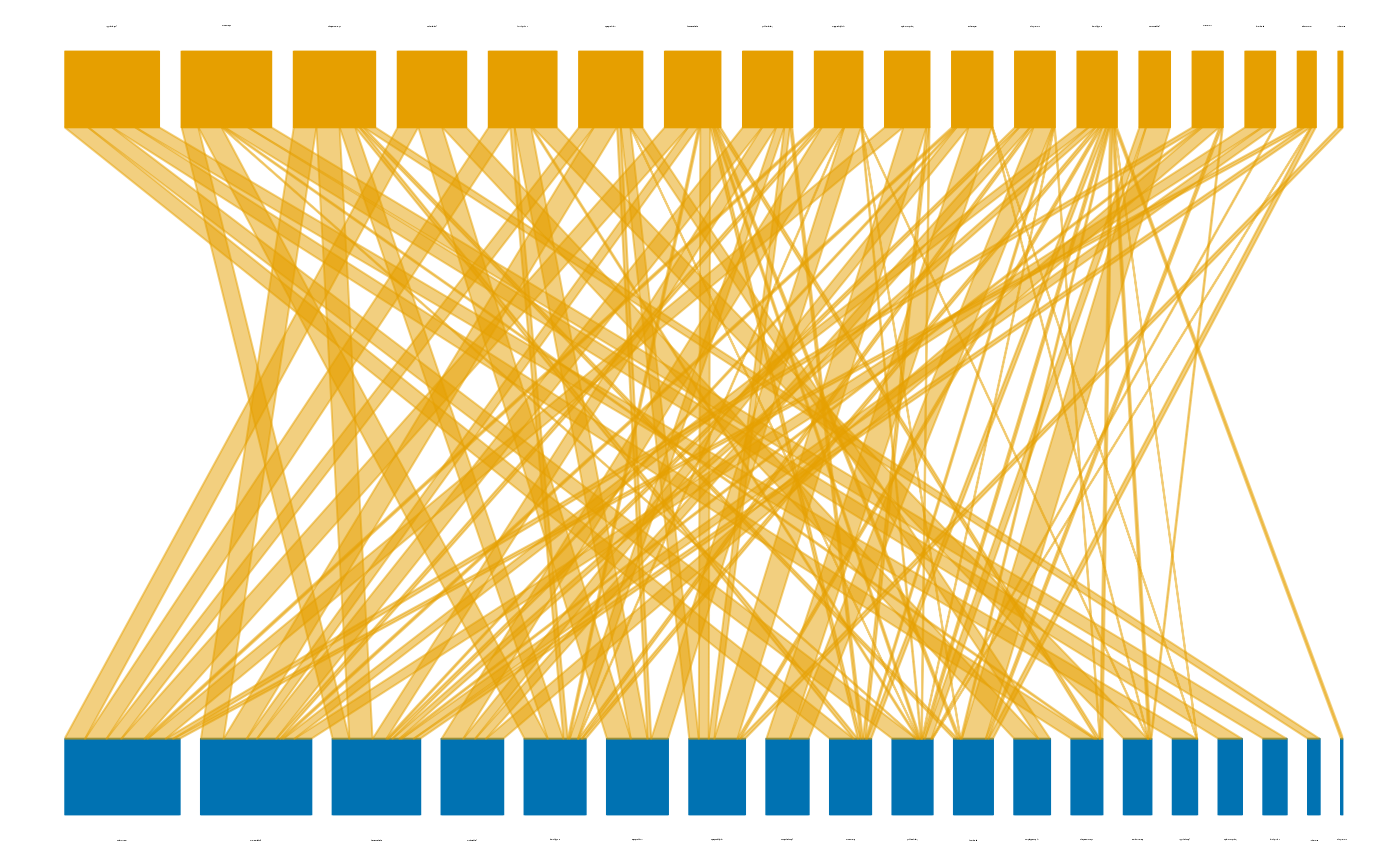
# Bipartite representation of a facilitation network. Link width corresponds to the
# scaled *Ns* index. Canopy species are shown in the upper row and recruits in the lower
# row of the graph:
visu_net(Amoladeras_int, Amoladeras_cover, int_type="fac", weight="Ns", mode="bi", scale_w=5)
#> IGRAPH 564d36a DNW- 21 94 --
#> + attr: name (v/c), weight (e/n)
#> + edges from 564d36a (vertex names):
#> [1] Artemisia_barrelieri ->Artemisia_barrelieri
#> [2] Helichrysum_stoechas ->Artemisia_barrelieri
#> [3] Phagnalon_saxatile ->Artemisia_barrelieri
#> [4] Teucrium_polium ->Artemisia_barrelieri
#> [5] Lycium_intrincatum ->Asparagus_albus
#> [6] Maytenus_senegalensis->Asparagus_albus
#> [7] Whitania_frutescens ->Asparagus_albus
#> [8] Ballota_hirsuta ->Asparagus_horridus
#> + ... omitted several edges
# Bipartite representation of a facilitation network. Link width corresponds to the
# scaled *Ns* index. Canopy species are shown in the upper row and recruits in the lower
# row of the graph:
visu_net(Amoladeras_int, Amoladeras_cover, int_type="fac", weight="Ns", mode="bi", scale_w=5)
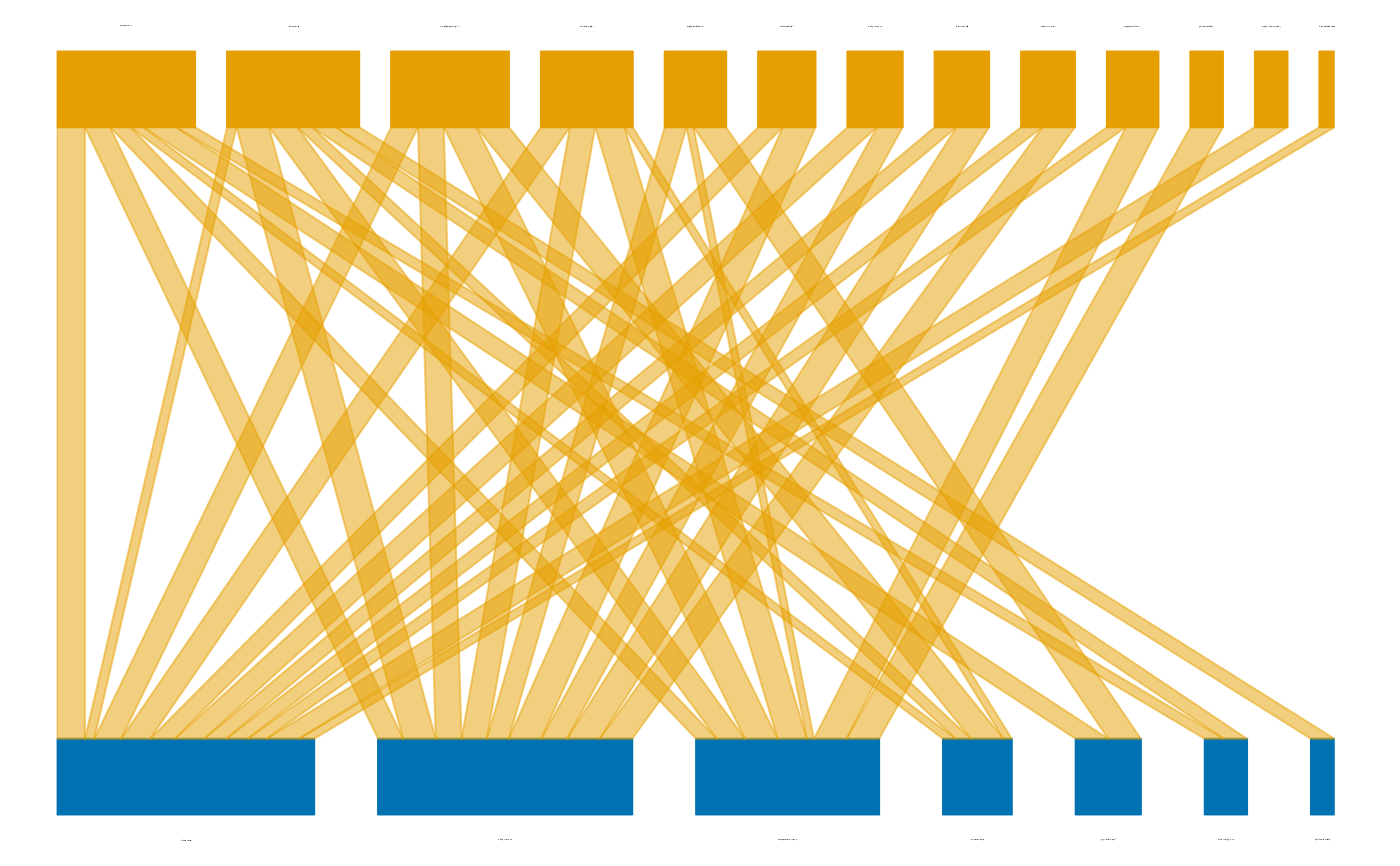
 # Unipartite representation of a recruitment depression (*competition*) network. Link
# width corresponds to the scaled *RII* index:
visu_net(Amoladeras_int, Amoladeras_cover, int_type="comp", weight="RII", mode="uni", scale_w=5)
# Unipartite representation of a recruitment depression (*competition*) network. Link
# width corresponds to the scaled *RII* index:
visu_net(Amoladeras_int, Amoladeras_cover, int_type="comp", weight="RII", mode="uni", scale_w=5)
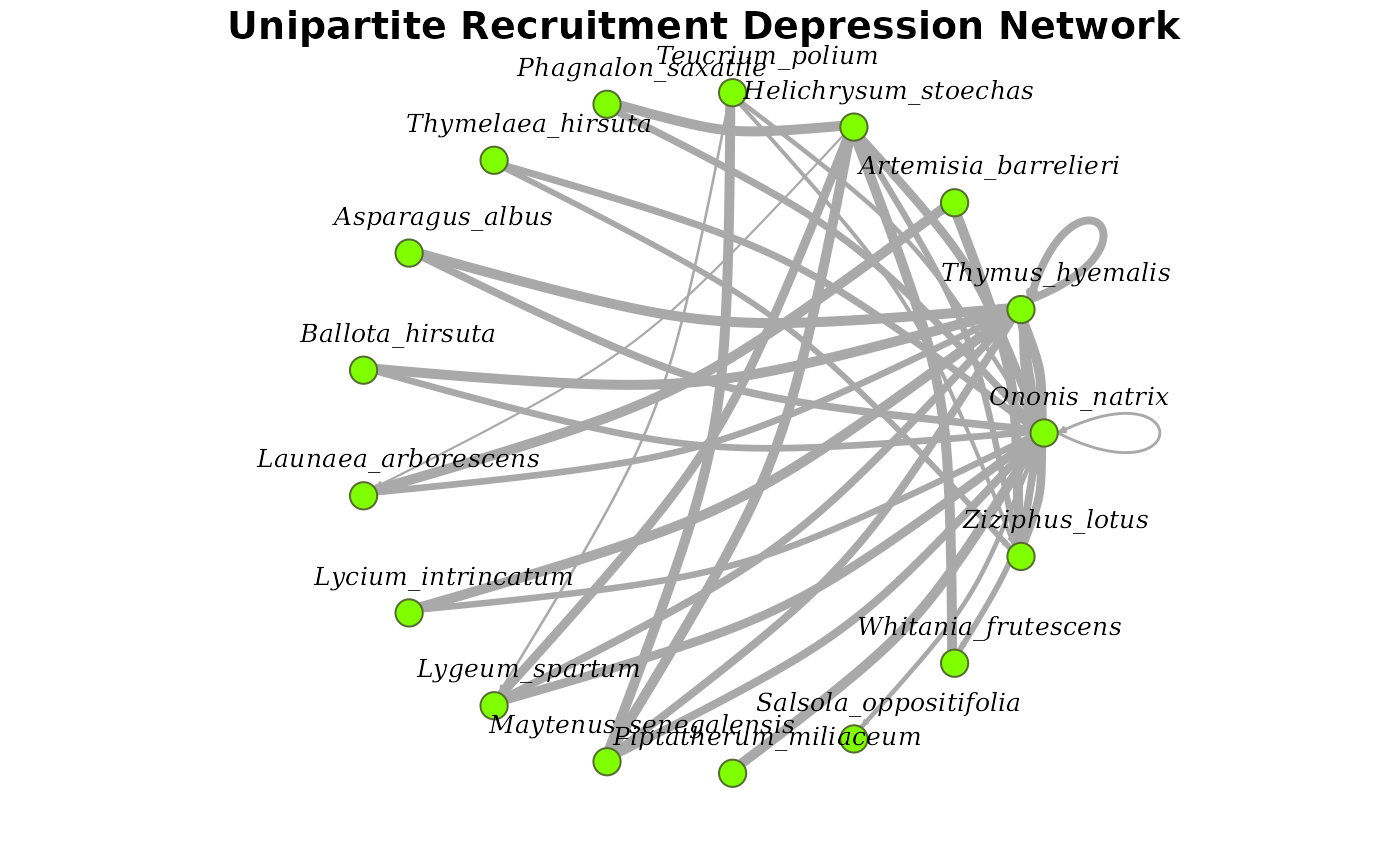 #> IGRAPH e6433ad DNW- 17 36 --
#> + attr: name (v/c), weight (e/n)
#> + edges from e6433ad (vertex names):
#> [1] Ononis_natrix ->Asparagus_albus
#> [2] Thymus_hyemalis ->Asparagus_albus
#> [3] Ononis_natrix ->Ballota_hirsuta
#> [4] Thymus_hyemalis ->Ballota_hirsuta
#> [5] Artemisia_barrelieri->Launaea_arborescens
#> [6] Helichrysum_stoechas->Launaea_arborescens
#> [7] Thymus_hyemalis ->Launaea_arborescens
#> [8] Ononis_natrix ->Lycium_intrincatum
#> + ... omitted several edges
# Bipartite representation of a recruitment depression (*competition*) network. Link
# width corresponds to the scaled *RII* index. Canopy species are shown in the upper row
# and recruits in the lower row of the graph:
visu_net(Amoladeras_int, Amoladeras_cover, int_type="comp", weight="RII", mode="bi", scale_w=5)
#> IGRAPH e6433ad DNW- 17 36 --
#> + attr: name (v/c), weight (e/n)
#> + edges from e6433ad (vertex names):
#> [1] Ononis_natrix ->Asparagus_albus
#> [2] Thymus_hyemalis ->Asparagus_albus
#> [3] Ononis_natrix ->Ballota_hirsuta
#> [4] Thymus_hyemalis ->Ballota_hirsuta
#> [5] Artemisia_barrelieri->Launaea_arborescens
#> [6] Helichrysum_stoechas->Launaea_arborescens
#> [7] Thymus_hyemalis ->Launaea_arborescens
#> [8] Ononis_natrix ->Lycium_intrincatum
#> + ... omitted several edges
# Bipartite representation of a recruitment depression (*competition*) network. Link
# width corresponds to the scaled *RII* index. Canopy species are shown in the upper row
# and recruits in the lower row of the graph:
visu_net(Amoladeras_int, Amoladeras_cover, int_type="comp", weight="RII", mode="bi", scale_w=5)